iPOSpays Authentication Token API Guide
This guide explains how to generate and refresh an authentication token used to securely interact with iPOSpays APIs. The token must be included in the request header when calling any protected endpoints such as payments, refunds, or transaction status APIs.
Supported APIs
This API can be used to generate and refresh an authentication token in:
Generate Auth Token
Purpose
Use this endpoint to generate a new JWT-based access token using your API Key, Secret Key, and Scope.
End Points
-
Sandbox URL : https://auth.ipospays.tech/v1/authenticate-token
-
Production URL : https://auth.ipospays.com/v1/authenticate-token
How to Generate API and Secret Keys
The apiKey and secretKey can be generated from the iPOSpays portal using an ISO, Agent Office, and Merchant Admin account. These keys are required for authentication.
Watch This Video for a Visual Walkthrough of the Steps
Steps to Generate Keys on iPOSpays
The steps to generate the keys remain the same for all three users: ISO, Agent Office, and Merchant Admin
-
Log in to the iPOSpays portal using an ISO Admin account
-
Go to: Settings → Generate API & Secret Key
-
Under the Generate Keys section:
-
Click Generate Keys
-
Click the Copy icon to copy the keys
-
Secret Key is masked by default
-
-
Click Reset Secret Key if you wish to regenerate the Secret Key
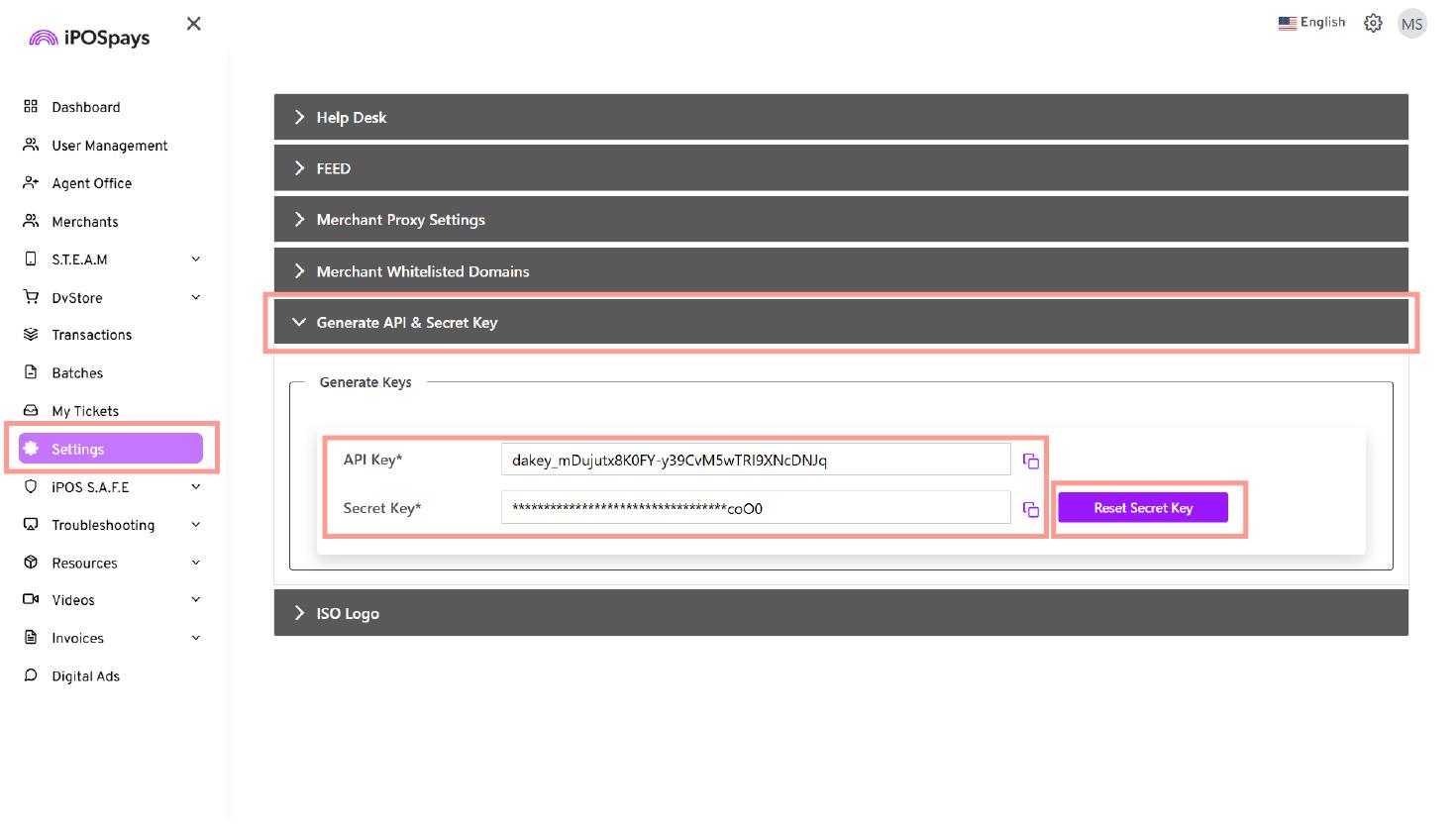
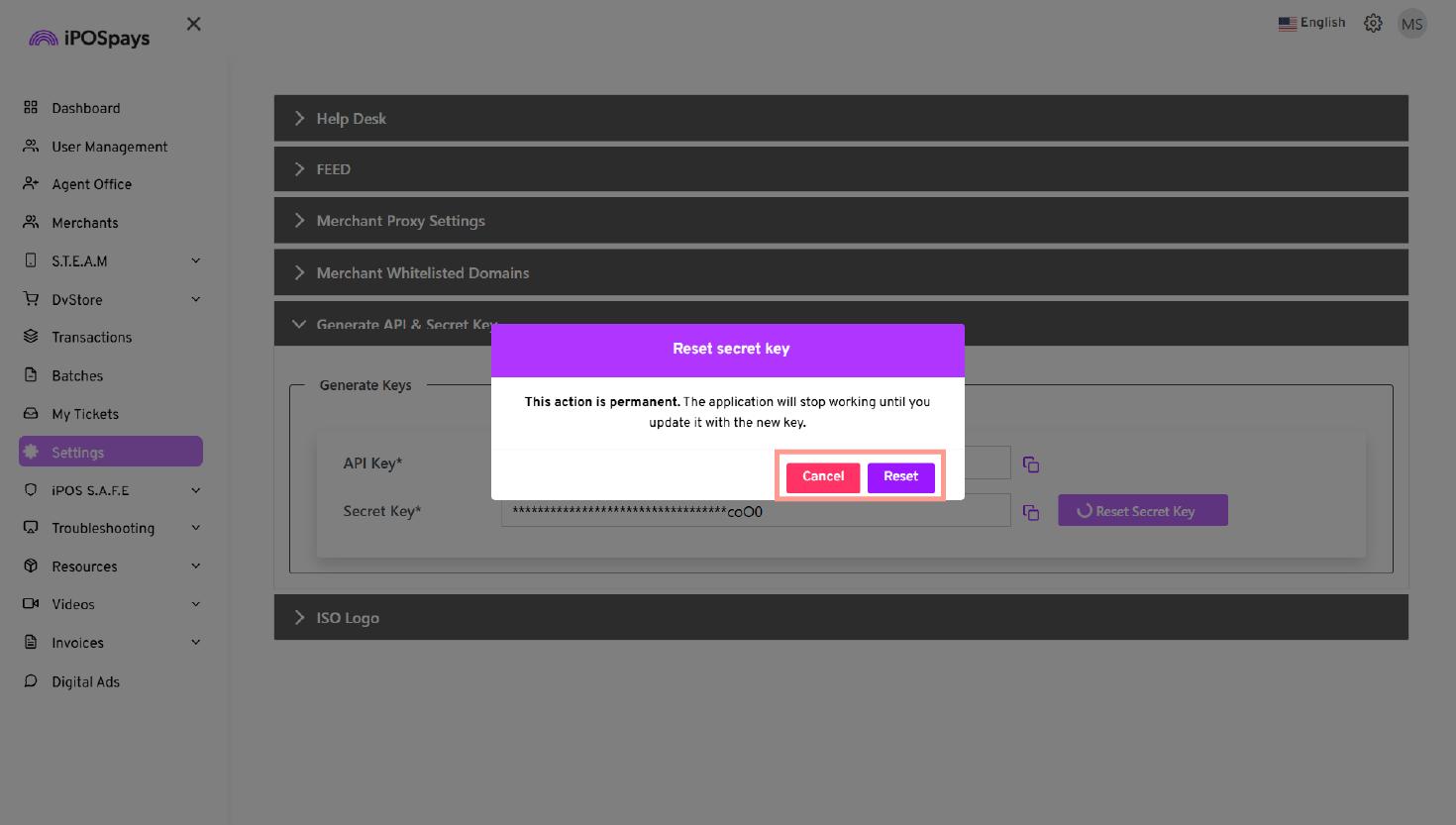
- Use the generated API and Secret Key for API authentication
API Access Details
API access is role-based and determined by the generated API Key and Secret Key. Different scopes are available for Merchant-level and ISO-level credentials.
Merchant-level API Key and Secret Key:
- Supported scopes:
PaymentTokenization,Recurring,BatchReport
ISO-level API Key and Secret Key:
- Supported scope:
ExternalApi,PaymentTokenization,Recurring,BatchReport
Agent Office Admin-level API Key and Secret Key:
- Supported scope: ExternalApi
Scope Descriptions
-
PaymentTokenization – Access to iPOS Transact (v3) APIs and transaction status APIs
-
Recurring – Access to recurring payment functionality
-
BatchReport – Access to closed batch reports
-
ExternalApi – Access to merchant onboarding APIs
Sample Header Request
{
  "apiKey": "your_api_key_here",           // Required: Your assigned API key
  "secretKey": "your_secret_key_here",     // Required: Your assigned secret key
  "TokenExpiryMinutes" : 1000 -> user can set expiry time of the token by their own, Integer Value, expiry value should not be more than 24 hours and minimum value should not be less than 30 minutes
}
{
  "responseCode": "00",
  "responseMessage": "Success",
  "createdDt": "1749532846158",
  "token": "Your Auth Token"
}
Auth Token Error Responses
{
  "errorCode": "AUTH_ERR_001",
  "errorMessage": "API Key is required."
}

{
  "errorCode": "AUTH_ERR_002",
  "errorMessage": "Secret Key is required."
}

{
  "errorCode": "AUTH_ERR_003",
  "errorMessage": "Scope is required."
}

{
  "errorCode": "AUTH_ERR_004",
  "errorMessage": "Invalid Credentials, Please Contact Support Team."
}

{
  "errorCode": "AUTH_ERR_005",
  "errorMessage": "Invalid scope provided. Please use a valid scope."
}

{
  "errorCode": "AUTH_ERR_011",
  "errorMessage": "Minimum expiry time cannot be less than 30 minutes."
}

{
  "errorCode": "AUTH_ERR_012",
  "errorMessage": "Maximum expiry time cannot be more than 24 hours."
}
-
Always keep your API Key and Secret Key confidential.
-
Use only authorized scopes based on your integration level (e.g., PaymentTokenization).
Last updated on September 10, 2026